The Modern WordPress Developer Toolkit: Why Composer, Vite, and Tailwind Belong in Every Project

WordPress powered 40% of the web in 2026. Most of that WordPress was built the same way it’s been built since 2010 — plugins installed through the admin, wp-config.php committed to Git, FTP deploys, no testing pipeline, no CI, no dependency manifest. For low-stakes blogs and personal sites, that’s fine. For professional WordPress development in 2026, it’s a liability.
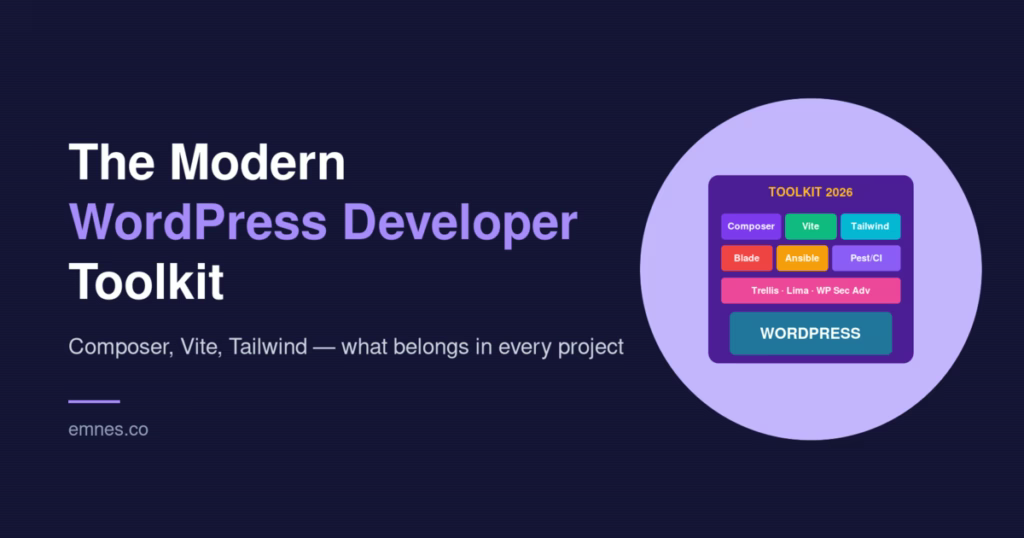
A modern WordPress developer workflow — the one used by agencies shipping client sites, by SaaS companies running their marketing and support sites on WordPress, and by every team that takes their infrastructure seriously — looks very different. It borrows the best ideas from other ecosystems: Composer for dependency management, Vite for asset bundling, Tailwind for utility-first CSS, Blade for templating, Ansible for provisioning, and pest-style testing for confidence.
This is the final post in our Roots.io series, and it’s a step back from any specific tool. Here’s the modern WordPress developer toolkit — what belongs in every serious WordPress project in 2026, why, and the concrete options for each piece.
Why the Default WordPress Workflow Doesn’t Scale
The WordPress default workflow optimizes for one non-technical user installing and maintaining one site. That’s a legitimate use case and one WordPress serves exceptionally well. But it stops working the moment you have:
- More than one developer. Plugins installed by developer A are invisible to developer B until they run the same clicks.
- More than one environment. Staging and production drift apart because there’s no canonical source for what should be installed.
- Frequent deploys. FTP uploads are slow, non-atomic, and prone to partial failures.
- Automated testing. No scaffolding, no CI, and every test setup is hand-rolled.
- Compliance requirements. “What version of X is running on production right now?” is unanswerable without SSH-ing in and running
wp plugin list.
Every serious WordPress team ends up rebuilding, from scratch, the same set of tooling: dependency management, build pipeline, deployment pipeline, testing scaffolding. The modern toolkit is about adopting proven solutions for each instead of reinventing them.
1. Composer: Dependency Management
Composer is the PHP equivalent of npm or pip. Every professional PHP project in 2026 uses Composer for dependency management. WordPress should be no exception.
What you get:
- Declarative dependencies. Every plugin, theme, and package listed in
composer.jsonwith a specific version. - Reproducible installs.
composer installon a CI server produces identical results tocomposer installon a developer laptop — becausecomposer.lockpins exact versions. - Automated updates.
composer updatewith Renovate or Dependabot keeps dependencies current with minimal manual work. - Security auditing.
composer audit— especially combined with WP Sec Adv — flags known vulnerabilities at install time.
The fastest path: Bedrock, which makes WordPress Composer-native out of the box.
2. A Build Pipeline: Vite
Modern WordPress themes have real asset complexity: multiple CSS files, multiple JavaScript entries, component-scoped styles, TypeScript optionally, source maps, content-hashed filenames for cache busting. You need a real bundler.
Vite is the ecosystem’s current consensus choice. It’s fast, ESM-native, has excellent HMR, and works with every modern JavaScript framework. For WordPress specifically, Sage 11’s @roots/vite-plugin wires Vite into WordPress’s asset enqueuing system automatically.
Alternatives: Webpack (still works, slower dev experience), esbuild (faster but less integrated), Bud.js (Sage 10’s choice, now legacy). Pick Vite unless you have a specific reason otherwise.
3. Utility-First CSS: Tailwind CSS
Tailwind CSS is the utility-first CSS framework that dominated frontend development in the 2020s. For WordPress themes, Tailwind offers:
- A design system expressed as CSS variables — colors, typography, spacing in one place.
- Automatic dead-code elimination — unused utilities are stripped at build time, so production CSS is tiny.
- Block editor integration via
theme.json— generate WordPress block editor tokens from your Tailwind config. - v4’s CSS-first config — keep design tokens in a single
.cssfile, no JavaScript config needed.
Tailwind is not mandatory; any CSS approach that respects a design system works. But the ecosystem integration with Sage and block editors makes it the easiest path.
4. Templating: Blade (or Modern PHP)
Traditional WordPress PHP templates mix logic and presentation freely. <?php echo ... ?> scattered through HTML is readable in isolation and unmaintainable at scale.
Laravel’s Blade is the strongest alternative for WordPress. Via Sage 11 and Acorn, Blade works inside WordPress with:
- Template inheritance (
@extends,@section,@yield). - Reusable components (
<x-button />). - View composers for attaching data to views.
- Cached compilation for zero runtime overhead.
- Automatic output escaping.
If Blade isn’t your style, at least discipline your PHP templates — separate logic into service composers, use typed classes, escape output consistently.
5. Local Development: Lima VMs
Development environments that match production are the lowest-friction way to avoid “works on my machine” bugs. Modern options:
- Lima VMs via Trellis — full Linux VM, same stack as production, ~30 seconds to boot.
- Docker + devcontainers — containerized services with good IDE integration.
- DevKinsta — if you’re on Kinsta, their local dev tool is well-integrated.
- LocalWP — GUI-driven local WordPress that’s great for non-developer content teams.
For teams running their own infrastructure, Trellis + Lima gives the tightest dev-prod parity.
6. Provisioning and Deployment: Infrastructure as Code
Your server configuration should be code, not a runbook. Your deploys should be atomic, not FTP.
Options:
- Trellis — Ansible-based provisioning and zero-downtime deploys for teams that run their own servers.
- Deployer — PHP deployment tool with similar atomic-release semantics if you don’t need server provisioning.
- Managed WordPress hosts (Kinsta, WP Engine) — they handle provisioning; you use their deploy workflow.
- GitHub Actions — CI-driven deploys that invoke whichever of the above you use.
What all of these share: no FTP, atomic releases, reproducible configuration, instant rollback.
7. Testing: Pest or PHPUnit
WordPress’s testing story is improving but still behind modern PHP. Pest is the current consensus testing framework — a more expressive wrapper around PHPUnit. For WordPress-specific testing, add wp-browser for integration tests that boot WordPress.
Targets:
- Unit tests for your custom classes — fast, isolated, many.
- Feature tests for HTTP endpoints and WordPress integrations — slower, broader.
- Run in CI on every PR.
- Block merges on test failures.
Even a small test suite is better than none. Start with tests for your custom business logic, expand as patterns emerge.
8. Observability: Logs, Metrics, Monitoring
You can’t fix what you can’t see. A modern WordPress site needs:
- Error logs — at minimum
WP_DEBUG_LOGturned on, ideally shipped to a centralized log aggregator (Loki, Elasticsearch, Cloudwatch). See our guide on reading WordPress debug logs. - Performance monitoring — Application Performance Monitoring tools like New Relic, Datadog, or free options like Query Monitor in development.
- Uptime monitoring — UptimeRobot, Pingdom, or similar. Alert on downtime.
- Security monitoring — login attempt logging, WAF integration (Cloudflare or similar).
9. Security and Supply Chain
WordPress is heavily targeted. A modern security posture includes:
- Composer-native security auditing via WP Sec Adv —
composer auditon every build. - Strong login security — rate limits, 2FA, reCAPTCHA.
- Regular backups with off-site storage.
- File-modification locking in production (Bedrock does this by default).
- Plugin discipline — every plugin adds attack surface; audit what you actually need.
- SSL everywhere, HSTS, strong ciphers — all automatic with a Trellis-provisioned server.
See our WordPress plugin security guide for the complete picture.
10. Version Control Discipline
All the above lives in Git. The rules:
- Every change is a commit. Including schema migrations, config changes, and content templates.
- Secrets are never in Git. Use
.envfiles excluded via.gitignore. - Branch protection on main. PRs required, tests passing before merge.
composer.lockcommitted. Reproducibility across environments.- Migration files committed. Schema changes travel with the code.
11. Content Editor Workflow
All of the above matters to developers. None of it matters to content editors — they need:
- A smooth block editor experience.
- Clear custom post types and field definitions.
- Permissions scoped appropriately.
- No exposure to
composer.jsonor.envfiles.
Done right, the modern developer toolkit is invisible to editors. They just see a WordPress site that works.
Putting It All Together
A complete modern WordPress stack in 2026, opinionated picks:
- Project structure: Bedrock (or Radicle for all-in-one).
- Theme framework: Sage 11 with Blade.
- CSS: Tailwind CSS v4.
- Build pipeline: Vite via @roots/vite-plugin.
- Laravel features: Acorn.
- Local dev: Lima VMs via Trellis.
- Provisioning: Trellis on a VPS, or managed host (Kinsta recommended).
- Deploys: Trellis (atomic, zero-downtime) or managed-host workflow.
- Composer repositories: WP Packages for WordPress.org plugins, vendor repositories for premium.
- Security auditing: WP Sec Adv.
- Testing: Pest for unit tests, wp-browser for integration.
- Observability:
WP_DEBUG_LOG+ centralized logging, Query Monitor in dev, APM in production. - CI/CD: GitHub Actions running Pest +
composer audit+ triggering Trellis deploys.
Not every project needs every piece. A small brochure site doesn’t need Pest tests or Vite HMR. A SaaS marketing site probably does. Size the toolkit to the project.
What’s Next for WordPress Developer Tooling
Looking ahead from April 2026:
- More Acorn ecosystem packages. The pattern of “WordPress feature wrapped in Laravel-style declarative config” works well and will likely expand.
- Block theme tooling. As FSE matures, expect Sage-style tooling for block themes specifically.
- Better WordPress-native testing. WordPress core is slowly improving its testing story; the modern toolkit will probably absorb parts of it.
- AI-assisted development. Between Acorn AI and Claude Code-style tooling, AI is becoming a first-class part of modern WordPress development.
- Continued consolidation around Roots. The Roots team’s consistent output and philosophical clarity is making their stack the default for serious WordPress teams.
Frequently Asked Questions
Do I have to use all of this on every project?
No. Start with Composer + Bedrock as the foundation and add pieces as projects demand them. A simple blog needs Bedrock; a complex SaaS marketing site needs the whole stack.
What if my team is used to the classic WordPress workflow?
Transition gradually. Introduce one piece per quarter — Composer first, then Vite, then testing, then infrastructure. Avoid “we’re switching to Roots this sprint” forced marches; they fail.
How do I justify this to clients who just want a website?
You don’t have to. The modern toolkit is an internal quality discipline; clients see faster delivery, fewer bugs, and smoother updates. Bill on outcomes, not tooling.
Is the modern toolkit overkill for small sites?
Sometimes. But the marginal overhead of Composer + Bedrock is low — maybe an extra hour at project start. The benefits compound from there. The overkill threshold is much higher than most people assume.
What about teams that don’t use Roots?
The concepts travel. Composer, Vite, Tailwind, version control, testing, CI — all of these can be adopted independent of Roots. Roots just packages them well for WordPress specifically.
Where do I start?
Pick your next new project, start it on Bedrock, and add the next piece (Sage, Trellis, tests) each sprint. Retrofit the tooling into existing projects only when you have genuine pain points — don’t migrate for its own sake.
Modern WordPress Is Not Just WordPress
The evolution of WordPress developer tooling over the last decade is one of the most significant changes in the PHP ecosystem. WordPress went from “the easiest CMS to install” to a platform that can be engineered to professional standards — with the same dependency management, build tools, testing frameworks, and deploy pipelines used in every other serious PHP project.
You don’t have to adopt all of it. But knowing what’s available lets you pick deliberately rather than defaulting to the 2010 workflow. And once you’ve built one project on the modern toolkit, going back to FTP + admin-UI plugin installs feels like returning to the Dark Ages.
At Emnes, we’ve been running the modern stack across all our sites for years. It’s transformed how we work — faster development, more reliable deploys, fewer midnight incidents. If you want help evaluating which pieces to adopt first, get in touch. We’re happy to share what we’ve learned from running the stack in production across dozens of sites.
This concludes our Roots.io ecosystem series. For the full series, start with The Roots.io Stack Explained. Related reading: WordPress plugin security, reading WordPress debug logs, and WordPress backup strategy.